Falling notes
Watch the note land, play the key.
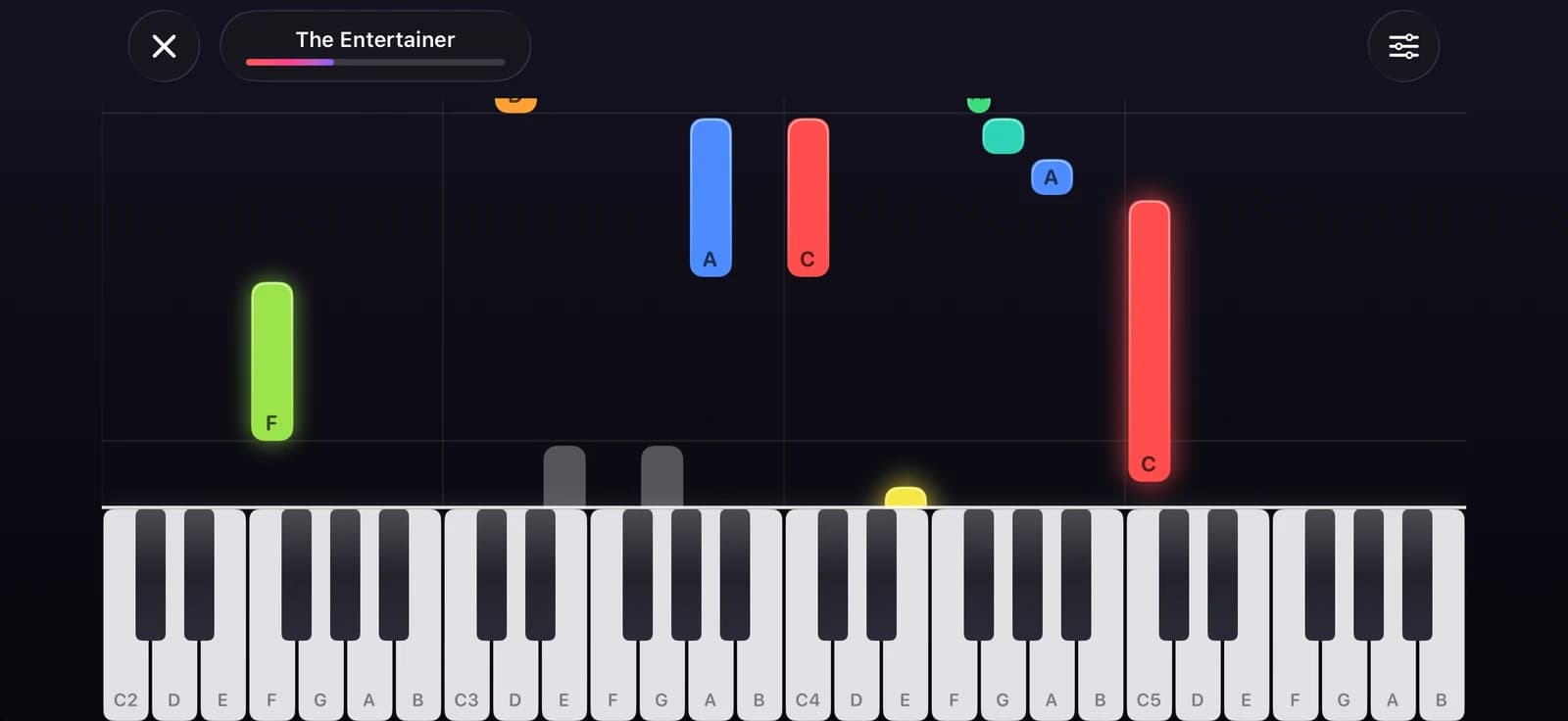
Notes fall towards the keyboard in their own colours and land on the key to press, so you can play a song before you read music. Melody+ listens and lights up every note you get right.
iPhone · iOS 18 or later · Android 9 or later
Why falling notes work
See where and when
Each note's position shows which key, its length shows how long to hold it, and the play line shows when.
It hears your piano
Through the microphone, even chords, or exactly through a MIDI keyboard. You can also play the multi-touch keys on screen.
Wait for me or in time
In Wait for me the notes stop until you play the right one. In play along they keep falling at the tempo you choose, from 50 to 120%.
Switch to sheet music any time
When you're ready to read, switch the same song to a scrolling grand staff.
Play your first song
Listen
The song plays once with the keys lit up.
Wait for me
Find each note at your own pace; the notes wait for you.
Play along
Speed it up step by step until you play it at 100% for three stars.
Songs to start with
- Ode to Joy
- Twinkle, Twinkle, Little Star
- Jingle Bells
- Für Elise
- The Entertainer
- Canon in D
Free and Pro
Free
Falling notes and sheet music in every song you can open: the First Steps course and every beginner song.
Pro
The other piano courses and every song at every level, with the same views.
Questions
Will falling notes stop me learning to read music?
Not if you use both. Falling notes get you playing quickly; the Reading the Staff course and the sheet music view teach the notes on the staff, and you can switch views in any song.
Does it work with a real piano?
Yes. Melody+ hears acoustic and digital pianos through the microphone, and a MIDI keyboard over USB or Bluetooth (and Wi-Fi on iPhone) gives the most precise timing.
Are falling notes only for piano?
Falling notes are the piano view. Guitar and ukulele songs use scrolling tab, saxophone and violin songs use sheet music with fingerings.
More in Melody+
Sheet music
A scrolling staff for piano, saxophone and violin, with fingerings, and a course that teaches you to read it.
Guitar tab
Scrolling tab with chord cards, strum arrows and technique marks, on six strings or four for ukulele.
Wait for me
The song stops on every note until you play it, then moves on: learn at your own pace.
MIDI keyboard
Connect a digital piano or MIDI keyboard over USB or Bluetooth (and Wi-Fi on iPhone) for exact timing.
Your first song is a few minutes away.
Pick up your piano, guitar, ukulele, saxophone or violin, open Melody+ and play a note. It will light up.


iPhone · iOS 18 or later · Android 9 or later