Rhythm
Feel the beat, then play it.
Play drum grooves on the Beat Maker pads, one idea at a time. Every hit is graded, so you know if you're early, late or right on the beat.
iPhone · iOS 18 or later · Android 9 or later
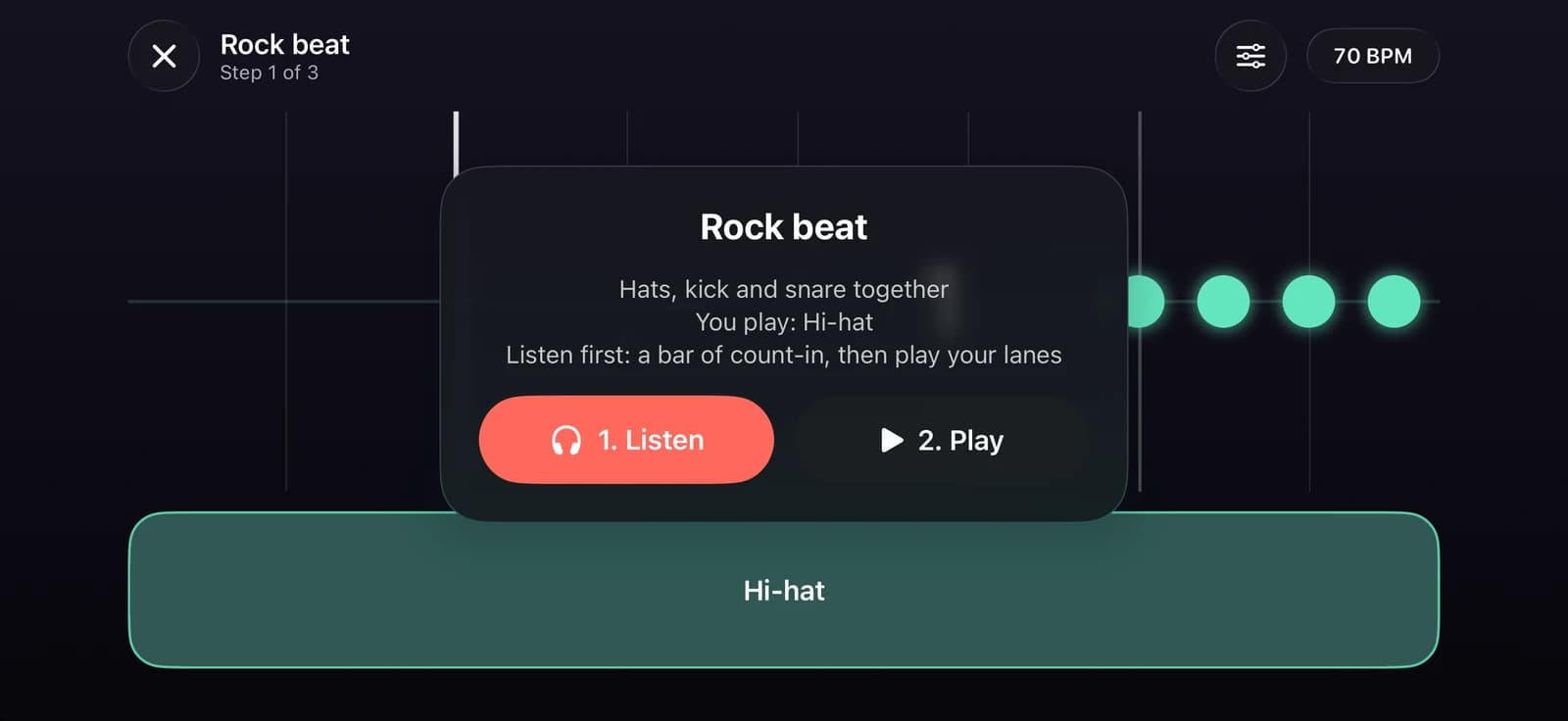
Rhythm you can hear and see
Every hit graded
Perfect, Good, Early, Late or Miss, so you see your timing as you play.
Twelve steps
From a steady pulse and the backbeat to sixteenth hats, ghost notes and your first fill.
Beat Tiles
Tap the falling tiles to play the beat, with hold notes; one song per built-in kit, and your own audio file turned into a chart.
A kit as a reward
Finish six Rhythm lessons and the Trap kit unlocks for free in Beat Maker.
How a lesson works
Hear the groove
The lesson plays the pattern first.
Play it on the pads
Kick, snare and hi-hat on the pads, in time with the count.
Get graded
Every hit is scored; repeat until it feels easy.
12 Rhythm lessons
- Steady pulse
- The backbeat
- Kick and snare
- Eighth-note hats
- Rock beat
- Syncopated kick
- Four on the floor
- Off-beat hats
- Sixteenth hats
- Boom bap
- Ghost notes
- Your first fill
Free and Pro
Free
Rhythm course 1 (all 12 lessons) and the 4 Beat Tiles songs.
Pro
Everything in Free.
Questions
Do I need a drum kit for the Rhythm course?
No. The lessons are played on the pads on your screen. For a full kit on screen, try the drums part with its own eight lessons.
Why do my hits feel late with Bluetooth headphones?
Bluetooth adds a delay. Use wired headphones or the phone's speaker for rhythm practice, and run the audio calibration in Tools.
More in Melody+
Drums
A full acoustic kit on your screen, with touch velocity, lessons that wait for you, backing loops and recording.
Beat Maker
16 pads in two banks, a step sequencer with swing, four kits, a kit builder and performance effects.
DJ Mixer
Two decks with turntables you can scratch, sync, key lock, Automix, effects, recording, a DJ course and a quiz.
See also
Your first song is a few minutes away.
Pick up your piano, guitar, ukulele, saxophone or violin, open Melody+ and play a note. It will light up.

iPhone · iOS 18 or later · Android 9 or later